This teacher needs an Apple

Web 2.0 meets Web of Life
The assignment was this: take an established lesson that you teach, and rewrite it to include a Social Network. You might envision how grade sevens could use Facebook to do their fractions, or perhaps how Twitter could be used to explore word usage in Language Arts (come to think of it, these ideas have the seeds of successful classroom learning activities, but I digress). This lesson took a standard summative assessment task assignment for Grade 7 Science in the Ontario Curriculum, and used a lesser know Social network, Edmodo, for students to share and evaluate their products.
In the Ontario Science Curriculum, the unit Interactions in the Environment includes the following expectations:
- explain why an ecosystem is limited in the number of living things (e.g., plants and animals, including humans) that it can support
- describe ways in which human activities and technologies alter balances and interactions in the environment
Using the theme of “Local Endangered Species,” students will gather, organize and analyze information about a local species under threat and create a mindmap using a Web 2.0 tool. They must then post their mindmap to the Edmodo discussion forum, and use a Rubric to checklist their own as well as some peers’ work, and add their comments too. The Mindmap should include information about: biology, habitat, local range, status, an action plan for improving the status as well as images, maps or links. Of course, students would have received direct instruction about mind mapping as well as introductions to the various Web 2.0 mind mapping sites before beginning. They would also require an introduction to Microblogging, specifically the use of Edmodo.
I experimented with three Web 2.0 Mindmap tools in the process, and these were invaluable lessons in themselves for assessing the strengths and weakness of various tools for school use. Mindmeister was the most flexible (it has lots of features such as links and images), Mindomo the most robust features, but with a steeper learning curve and Bubbl.us was the simplest to use, and also yielded the plainest mindmaps due to limited features. Each has advantages appropriate for various learners and could be used to assist in differentiating instruction.
The choice of Edmodo as the social network tool was simple. I wanted a tool that I had limited experience handling (I tried it out with a few colleagues one day over a year ago but never in the classroom) and it also had limited features that would not overshadow the learning goals of the unit. The focus was on local endangered species, and peer sharing and evaluation, not the many features of a full blown social network. Click on the image below for a closer look at the Edmodo environment.
Edmodo

Edmodo Screenshot
Before starting, I reactivated my Edmodo account and became re-familiar with the Edmodo environment. It handles simple posts (140 characters) but also handles embedded objects, like the Mindmaps I was going to create. I made three “student” accounts and a class group in which to work, and then set about trying the three Mindmap products. When I opened Mindmeister, I discovered a map that I had created for a previous Wilkes course some time ago. It was related to the same ecosystems topic so I posted it as my sample.
Teacher Sample
http://www.mindmeister.com/maps/public_map_shell/45904940/local-endangered-species-mind-map?width=500&height=400&zoom=0
After setting up my student account, I set out to improve on the quality of the teacher sample and use Mindmeister’s full set of features. The results are embedded below.
Monarch Butterfly Mindmap
http://www.mindmeister.com/maps/public_map_shell/52532959/ecosystem-of-the-monarch-butterfly?width=500&height=400&zoom=0
Jefferson Salamander Mindmap using Bubbl.us
http://bubbl.us/sys/view.swf?sid=661443&pw=yaG2TjvRJ2CJ2MjRhYWVVTGpRUElGMg
Hooded Warbler Mindmap using Mindomo
<object
http://www.mindomo.com/MindomoViewer.swf
The Mindomo embedded Mindmap may not appear, so its direct link is provided here.
An added element for evaluation would be to include a Google Form for the self, peer and teacher evaluation, like the sample below. The form would include all elements of the Rubric as well as comment spaces, that correspond to how well each expected feature was done and the depth of research that was completed.
Example Google Form for Evaluation
Loading…
Please email me if you wish to obtain access to my Wilkes Edmodo group and see how the embedded links and student submissions appear.
This is a practical example of the merging of Science and Web 2.0, and I look forward to implementing it with students.
Although it’s too early to tell for certain, it seems as though the rumours about what was to be in Canada’s new Copyright Law were pretty much dead on. A few weeks ago I blogged about the impending introduction of the new law, Bill C-32. According to today’s CBC report, Michael Geist, chair of Internet Law at Ottawa University claims that the Bill as written, “is flawed, but fixable.”
We’ll be following this one very carefully. Stay tuned.
Full text of Bill C-32 can be read here.
The announcement was made in a rather unusual way, from the headquarters of video game designer EA in Montreal. The news release is linked here.
Following the feed of just a few Web 2.0 review sites in my Google reader is a problem for me. I find that I have to login to my Reader at least twice a day otherwise my unread updates overwhelm my ability to keep up with them, and that’s just the feeds about Web 2.0 apps. I follow some other Tech Leaders as well, and need to make time to read, in depth, what they are saying or commenting on.
The rapid development of Web 2.0 applications, especially those with relevance to education, makes keeping up a bit of a chore. Fortunately, I have learned that there are lots of other keen educators out there like me doing the same thing, and their feeds are often the place where the best tips about new apps come from. Reading a few blogs from these tech leaders, and the feeds from Gotoweb20.net and Fedmyapp keep me up to speed on the newest Web 2.0 sites that are making waves in the Educational Technology world and beyond, but it is the experience of others that makes the difference about which apps receive attention for their suitability in schools. I may learn about an app from the two feeds above, but it is the community that provides the recommendations, the classroom proven tips, the filter (to use the expression that this blog post must reflect upon) that proves the value of an app.
A few human filters come to mind that should be on everyone’s Twitter or Blog list. My Number One is Richard Byrne’s Free Technology for Teachers. Byrne provides a daily post about great free stuff available for educators, mostly Web 2.0. My second human filter is the blog Teach Paperless. Although primarily an advocate for the environment, the Web 2.0 suggestions I’ve picked up from this site are great.
A site I started to recommend for teachers in my school, as well as students, who did not have Smart Ideas at home, was to use Meindmeister for creating concept maps or mindmaps. One of my colleagues tested it out, and discovered some questionable content when using the insert photo feature- the default photo was a scantily clad woman. I was sure that Meindmeister was a useful educational tool and that it intended, by its documentation, that education was a target market. I emailed the support team and, after a few email exchanges, including an apology, the problem was rectified. I now suggest this Web 2.0 app for students needing to create collaborative mindmaps.
Here are 5 apps that I came across during the week that deserve a look, some which are educationally outstanding. I used Gotoweb20.net and Cool Tools for Schools Wiki as my source of sites and chose a variety of tools: drawing, art, collaborative, audio and video.
LovelyCharts.com

LovelyCharts.com is an online diagram drawing tool which is really useful for creating flowcharts and other simple diagrams. The diagrams are crisp and there’s lots of styles to choose from, from classic flowcharts to more free-flowing, organizational and icon based diagrams. A jpg or png file can be downloaded, but only one diagram can be saved online at a time, and there is no EDU version. Students have to sign up. But for great digrams, this one is simple and straight-forward.
Scores– Age Appropriate: 4 Cost: 4 User Friendliness: 3 Collaboration: 1 Final Product: 3 Higher-Order Learning: 3 Edu-Friendly Features: 2
Overall Points: 20/28
Recommendation– Lovely Charts is a great drawing tool for students, with a simple interface and clean layout in a safe, clutter free environment.
Status– Recommend
Bonomo.com

Bonomo.com is an abstract art creation tool. Click a tool and start drawing. The art is randomly generated depending on mouse clicks and the tool that is chosen. It’s fun and creative but the results are, well, just random! There is a quick save to jpg or png. No accounts are needed, but there is no collaboration tool, nor is there any way to save or embed the product. Being abstract, there is a “beauty is in the eye of the beholder” argument about both the artistic value and the higher-order learning that would be taking place with students.
Scores: Age Appropriate: 3 Cost: 4 User Friendliness: 3 Collaboration: 1 Final Product: 3 Higher-Order Learning: 2 Edu-Friendly Features: 3
Overall Points: 19
Recommendation: A little light on purpose, and not exactly the easiest to learn as the learning curve was a little steep, but can be used to create some very original, unique abstract art.
Status– Recommend
Crocdoc.com
Crocdoc.com is an online document markup and collaboration tool. It requires an email login and password, and would be most useful for high school students sharing notes on a reading or group assignment. It’s similar, in a way, to Diigo, but a lot simpler. Any Word, pdf or webpage document can be marked up, so its really versatile and the resulting document can be posted to another webpage or shared via social networks. This means that a group of students can markup a document and share their learning together in another format.
Scores: Age Appropriate: 2 Cost: 4 User Friendliness: 4 Collaboration: 4 Final Product: 4 Higher-Order Learning: 4 Edu-Friendly Features: 3
Overall Points: 25
Recommendation: A nicely featured tool with good educational value that is a mix of Google Docs, Diigo and Word, all in a Web 2.0 package.
Status– Highly Recommended
iPadio.com
iPadio.com is an audio tool that uses your telephone or mobile phone to record a podcast, a “phonecast” as it were, and to have the audio converted to a web 2.0 tool that can be emailed, embedded or shared. This is an excellent tool for students and teachers. Not only can a podcast be created from anywhere using a toll free number, but the audio is then converted to text automatically. The uses are many: recording a speech, use with special education students, speech-to-text, an audio journal, news reporting…the list is limited by one’s own creativity. There’s even an iPhone app.
Scores: Age Appropriate: 4 Cost: 4 User Friendliness: 4 Collaboration: 2 Final Product: 3 Higher-Order Learning: 3 Edu-Friendly Features: 2
Overall Points: 22
Recommendation: A great tool with limitless possibilities, which ranks even higher than the score indicates.
Status– Highly Recommended
The Newseum
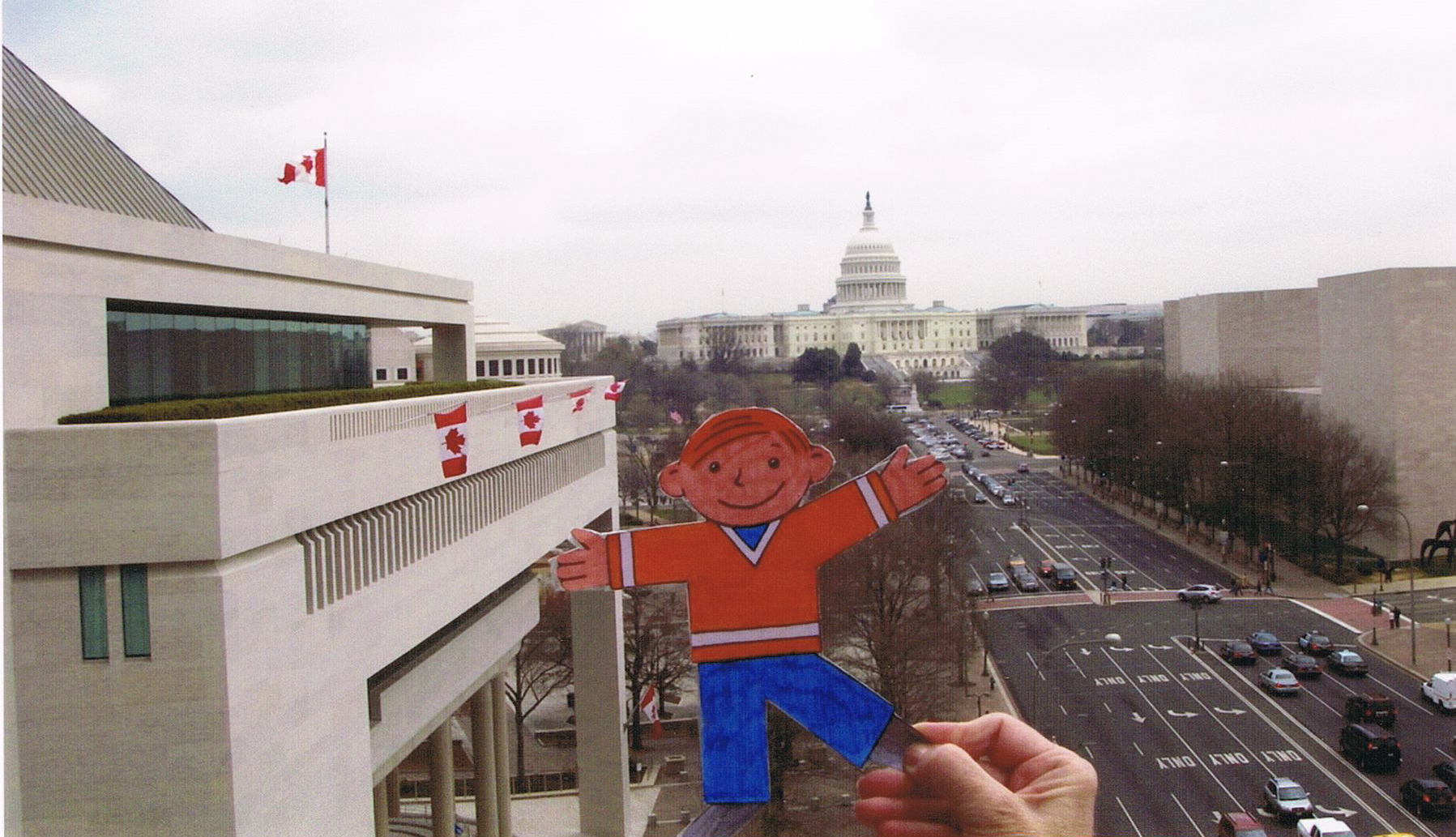
The Newsuem.com is a website that falls outside the strict defintion of Web 2.0, but when I saw it on Cool Tools for School Wiki I had to add it to my list. Although Washington, D.C. has free access to most of its amazing museums, one that charges a fee to enter, but that is worth every US cent, is The Newseum. Not far down Pennsylvania Avenue from the White House, in the direction of the US Capitol, and, coincidentally, next to the Canadian Embassy, the Newseum is an amazing place to explore. Featuring exhibits that help people of all ages to understand the way that news is made, collected, reported, shared and delivered around the world, in all its forms. It’s a place that should be on everyone’s Washington, DC to-do list.
You never know who you’ll meet there! While admiring my embassy next door from the viewing deck, I met “Flat Stanley,” who was also visiting D.C.
However exciting the Newseum is in person, the real benefit of its online presence is the ability to read the news from around the world, all in one place. Each day, the front page of papers from all corners of the globe are posted to the site, which is a great resource. The Newseum claims to be the “the world’s most interactive museum” but the website is, unfortunately, far less than that. There are some interactive areas of the site, but they lack the ability to produce and create content.
Scores: Age Appropriate: 3 Cost: 3 User Friendliness: 2 Collaboration: 1 Final Product: 1 Higher-Order Learning: 2 Edu-Friendly Features: 1
Overall Points: 13
Recommendation: A good source of news headlines, but the lack of interactive features makes it less appealing.
Status: Worth a look only, unless the newspapers are needed for a class project. Otherwise pass on the website. Save your money for the class visit to D.C.
This a link to an edited version of the Elluminate Live! broadcast I held on May 18, 2010 for Wilkes course EDIM514. It was a great experience to host and manage a live session and discussion. Thanks to those who were able to participate. The first half of the video is my presentation and the second half is the ensuing discussion. Enjoy the broadcast and add your comments to the Blog.
 |
| From Drop Box |
Resources- here are the links and resources I referred to or resources I consulted when preparing my broadcast.
Will Richardson’s Google Map- What do you Block?
Will Richardson’s Weblogg-ed Blog – “Teach. Facebook. Now.”
Will Richardson’s Weblogg-ed Blog – Don’t Don’t Don’t vs. Do Do Do (as mentioned by Sue Hellman)
Canadian Broadcasting Corporation Poll: Tuesday, May 18- Parents Wary but Few Limit Kid’s Use
OFSTED Report- The Safe Use of New Technologies
Wellington Grey Comic- Nick Ut’s famous Vietnam photo with added comment
The Blue Skunk Blog- Censorship by Omission
Instructional Media or “What’s an Overhead?”- My Blog Post: “What’s the Purpose of Blocking Internet Content in Schools” from April 2010
My Original Script
Internet Blocking in schools- What’s driving your Acceptable Use Policy? http://d1.scribdassets.com/ScribdViewer.swf?document_id=32606411&access_key=key-rjalqmpq7djn8oxzmc1&page=1&viewMode=list
The Link to the Elluminate Live archive original of this broadcast is here.
Last year, while doing workshops on Digital Storytelling, Moviemaker and podcasting, I started to collect a series of sites which featured royalty free music, sound effects, and other resources that would be handy for doing the workshops and sharing with colleagues. That collection got moved to Delicio.us and has now been exported to Diigo. Some of my original collection are not Creative Commons licensed, so I have added some new ones which are. I have tagged those with CC Licenses with the “Creative Commons” tag so I can easily filter ones that are from the other sites offering free resources without licenses.
Creative Commons vs. House of Commons
Just when Canadians thought the Guergis-Jaffer affair was yesterday’s news and all was quiet on “The Hill” (in Canada, that’s a reference to Parliament Hill in Ottawa and the aforementioned “affair” is a little government scandal that has monopolized the news here), the Government has quietly turned up the heat on the copyright issue, in a little noticed, “let’s not let the public get alarmed” sort of way. According to a reliable source, the government of Prime Minister Stephen Harper plans to introduce a new copyright law, which will mirror that of the United States, contrary to the mainstream point of view that was collected during public consultations held by the government last year.
Michael Geist, Professor of Law at the University of Ottawa, holds the position of Canada Research Chair in Internet and E-commerce Law. Not coincidentally, Geist is the Co-Director of Creative Commons Canada. In a recent Blog Post, Geist warns Canadians about the impending introduction of a new Copyright bill. Just how the bill will look when it is introduced remains to be seen, but judging by Geist’s warning, Canadians need to be alarmed at the way it is playing out. He claims that the two Ministers involved (the younger, progressive, iPod generation Minister of Canadian Heritage, Mr. Moore, vs. neo-conservative, “takes his marching orders from the Prime Minister’s Office” kind of guy, the Minister of Industry, Mr. Clement), could not reach agreement and that the Prime Minster has given the order that a new bill, with more restrictive, US style DMCA provisions, and less “fair use” provisions will be on the order paper. Canadians are all too familiar with this Prime Minister’s habit of taking, in the past, his own marching orders from the former Bush government and its big business, right-winged Republican agenda. As shown in this video , where Australian Prime Minister John Howard and Stephen Harper, before he was Prime Minister, read almost identical speeches in their respective Parliaments, it’s not a stretch that Harper will do so again (This speech was about invading Iraq, to the benefit of the Military-Industrial Complex, but I digress!). Despite the fact that the video was produced by the opposition Liberals and is, therefore, somewhat biased, there are few plausible explanations other than the speech was supplied by the Bush administration. Both Parliamentarians are strong allies of the Republican party in the USA. What’s not clear, is why Stephen Harper has chosen to fashion the new Canadian Law after the US DMCA, disregarding the clear messages delivered by the Canadian public during the consultations about the need for clear, progressive, “fair use” provisions.
This preamble is critical to understanding the background to the point I am now about to make concerning Creative Commons. Why would Canadians, Americans, citizens of the world, for that matter, let their individual governments decide how the information they create, post and share freely be controlled arbitrarily by anyone else other than the person who created it? Copyright laws tend to be black and white- either you can copy it or you can’t, with little wiggle room in the middle. They tend to favour, I think, publishing companies and big music companies rather than artists. The use of Creative Commons allows the creator to freely choose what purposes and the conditions under which their own creations can be used by others, as opposed to a Government deciding to protect the interests of those who did not create it.
In a way, licensing your own work, a photo on Flicker, a video on Youtube, a Blog post on Blogger circumvents the power of special interests who see copyright as an authority to be used to control the free flow of information. That is why I have chosen to use Creative Commons Canada License 2.5 the “Attribution-Noncommercial-Share Alike 2.5 Canada” license. This allows for the free sharing and remixing of this Blog, as long as attribution to me is given.
There is a powerful message delivered when we encourage students to put Creative Commons licenses on their own Blogs, Voicethreads, Glogsters and other online creations. We have taught by example when they see the license on our Blog. They will see the value of their own digital citizenry when they check the origins, ownership and licenses associated with the information they consume from the Internet when being creative, and in demanding that others respect their license, they will understand that acting with integrity means reciprocating.
So, I am all for holding the power to distribute my work and bypassing the Government of Canada, who have acted too slowly on the copyright issue, more worried about their tenuous hold on power rather than the speed at which technology is changing in this country and around the world. Branding our creations, albeit insignificant ones like this Blog, send a message to governments everywhere: What’s mine is mine and I have the right to tell the world what they can do with it.
And by the way, please share this Blog freely with your friends and colleagues. Just tell them I wrote it.
UPDATE- it appears as though the government ministers battling it out over the new copyright law for Canada may be in role reversal. Moore, the younger, iPod generation government Minister who oversees Canadian Heritage is in favour of more extreme and restrictive copyright provisions and Clement, the older, and more neo-conservative, Minister of Industry, has taken a less restrictive, more “fair use” approach. Could be an interesting battle when the Bill hits the floor of the House of Commons, as early as next week.
Greetings Wilkes Classmates!
Latté at Sandringham Beach, Port Phillip Bay, Victoria, Australia

Welcome to Instructional Media or “What’s an Overhead?” Remember those? I’m doing my best to ignore the fact that I earned the nickname “Captain Overhead” in teacher’s college in 1981 at Queen’s University, Kingston, Ontario. It seems like just yesterday that we moved from these simple technologies, to computers, to LCD projectors to Document Cameras. But actually, that technology push has taken almost 30 years, which is the number of years I have been teaching. The greatest changes have occurred in the last five years, from my perspective.
I started my career in NW Saskatchewan, moved back to S. Ontario, taught in Toronto for a few years, and then took a position teaching Middle School with the Peel District School Board in 1987, where I have been ever since. Peel is the county, now region, which lies immediately west of Toronto and is one of the largest school districts, by population, in Canada. It includes the area from Lake Ontario, to Caledon, a distance of about 75 kilometres NW and is about 25 kilometres wide. We serve a rather diverse demographic since 1 in 3 immigrants to Canada settles in the region. It makes for a very fascinating place, with many languages spoken, many cultures represented, and many points of view accepted. I wouldn’t have it any other way- it’s like, as a visiting author once quipped, “having the United Nations” in my classroom.
Map of Southern Ontario including Peel Region
In 2007 I had the great privilege of going on a teacher exchange to Australia. It’s an amazing experience, and Oz is an amazing country. Living, working, teaching, going to school, travelling, experiencing another culture is a challenging yet rewarding experience that I highly recommend to you. Exchanges have their origin in Commonwealth countries hence the large numbers of UK, Australian, New Zealand and Canadian teachers who participate. Of all the people on exchange to Victoria, Australia in 2007 with us, 10 were Canadian, 2 were from the UK and one was American. I suggest US teachers find out more about organizations that arrange exchanges for your state authority.
One of the cool things my Australian school had that my home school did not was laptops for every student. This was a great resource to be able to tap into, but I observed that the students used them more often as toys as opposed to learning tools. That slowly changed under my watch as I used Discovery Streaming there to engage them and force them to use the technology to explore resources online.
Travelling around Australia is an amazing experience too, and we (my wife and 2 teenaged boys) were able to take advantage of as many travel opportunities as possible. Here are a few highlight photos.
Brighton Beach, Melbourne, Victoria
 |
| From Oz 2007 |
Great Barrier Reef, Queensland
 |
| From Oz 2007 |
Cradle Mountain National Park, Tasmania
 |
| From Oz 2007 |
The Devil’s Marbles, Northern Territory
 |
| From Oz 2007 |
Sunset at Uluru, Northern Territory
 |
| From Oz 2007 |
Speaking of adventures, EDIM 514 marks the end of another adventure for me as this is my last Wilkes course. I am really looking forward to this one and to putting all my learning to good use at my school, with my colleagues, and beyond. I will continue teaching Grade 6 and part time in the IT Lab next year, and hope to be able to instruct teachers in their additional qualifications courses relating to technology integration next year. I am also interested in becoming an online teacher, having been an online student. Since I can retire in a little over a year (if I so choose), I am exploring new career choices for when I leave the classroom.

